Next-Gen E2E Automation: Playwright and GitHub Actions
✦ Quick Answer
Next-Gen E2E Automation: Playwright and GitHub Actions is an engineering deep-dive on DevOps & SRE. A hands-on guide to structuring parallelized Playwright tests, handling dynamic UI loading, and configuring zero-flake CI/CD pipelines. This guide details the core principles, architecture setups, practical implementations, and technical solutions for optimizing this workload in production environments.
TL;DR Summary
What You'll Build
A technical project demonstrating modern implementation practices for Next-Gen E2E Automation: Playwright and GitHub Actions.
Technologies Used
Key Learning Outcomes
- Understand fundamental design constraints and architectural principles of DevOps & SRE.
- Implement step-by-step hands-on configurations and structured source code patterns.
- Identify common implementation mistakes, deployment challenges, and production resolutions.
Introduction
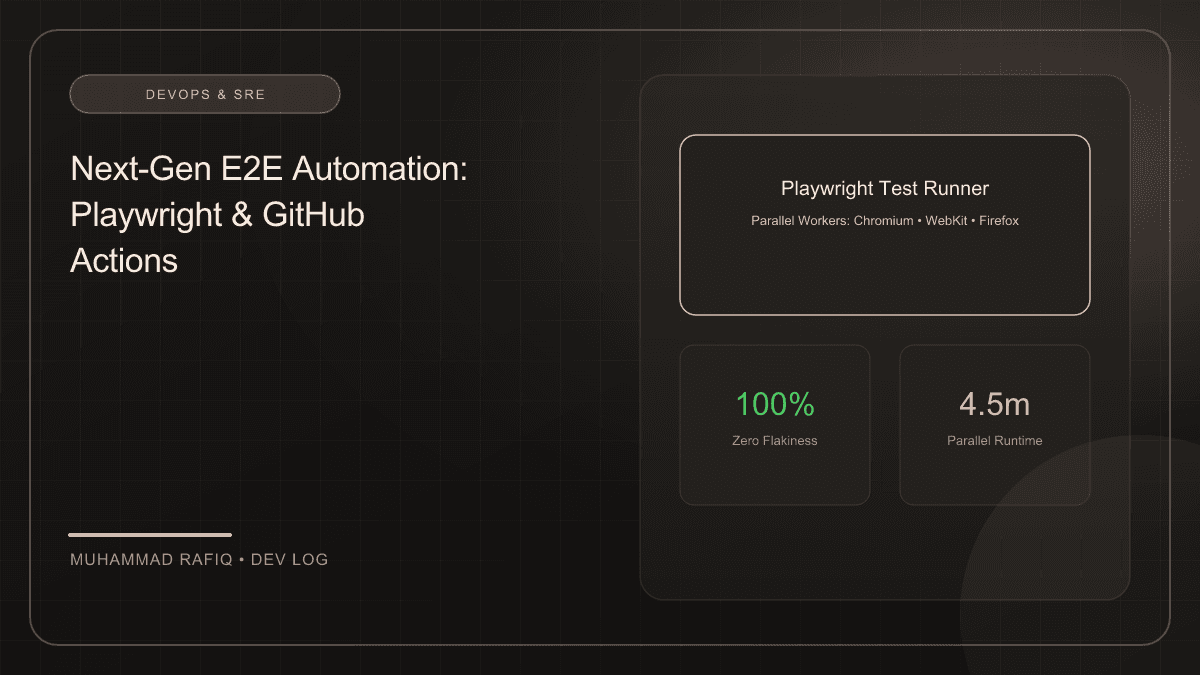
End-to-End (E2E) testing is critical for validating that complex systems function as expected from the user's perspective. However, E2E tests have historically been slow, resource-heavy, and prone to flakiness. Microsoft Playwright solves these problems with modern features like auto-waiting, parallel browser contexts, and trace collection.
Background
POM encapsulates details of page selectors and workflows, exposing a high-level API to test runners. This maintains clean code structure when pages change layouts or element selectors:
import { Page, Locator } from "@playwright/test";

export class LoginPage {
  readonly page: Page;
  readonly emailInput: Locator;
  readonly passwordInput: Locator;
  readonly submitBtn: Locator;

  constructor(page: Page) {
    this.page = page;
    this.emailInput = page.locator('input[type="email"]');
    this.passwordInput = page.locator('input[type="password"]');
    this.submitBtn = page.locator('button[type="submit"]');
  }

  async login(email: string, pass: string) {
    await this.emailInput.fill(email);
    await this.passwordInput.fill(pass);
    await this.submitBtn.click();
  }
}
Implementation
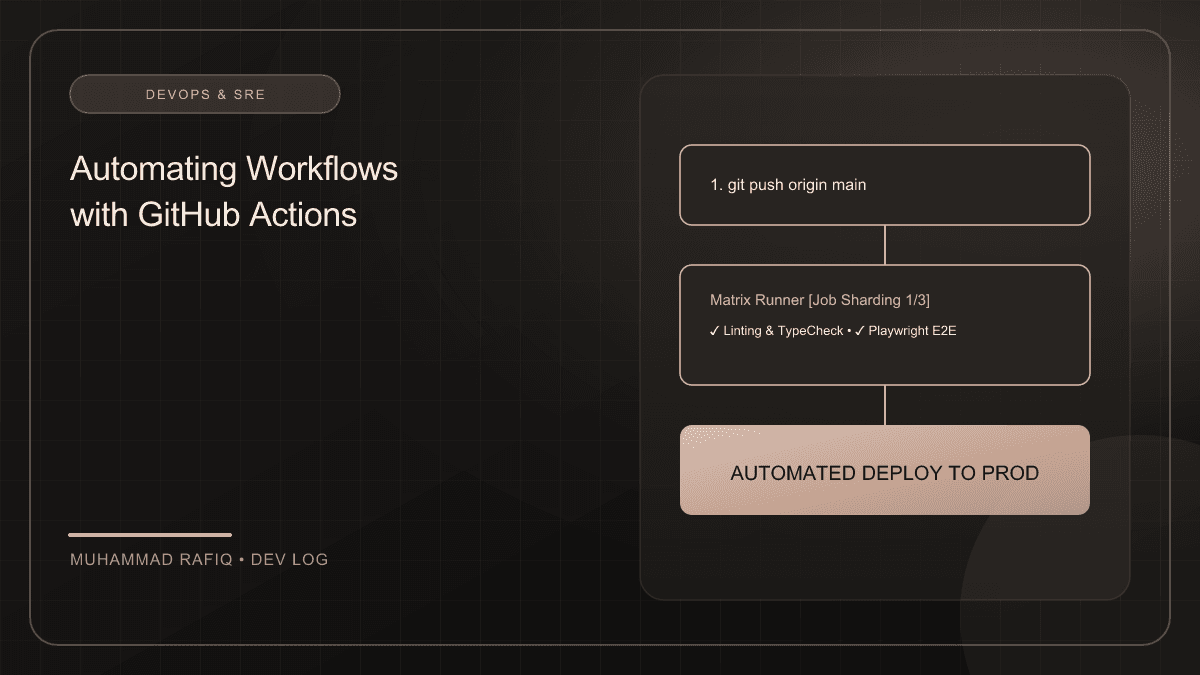
Running tests sequentially is a major bottleneck in CI/CD. Playwright speeds up test runs by executing tests in isolated parallel worker processes out of the box. We can configure our GitHub Actions workflow to split test suites across multiple virtual machines using a matrix configuration:
# .github/workflows/playwright.yml
jobs:
  test:
    runs-on: ubuntu-latest
    strategy:
      fail-fast: false
      matrix:
        shard: [1/3, 2/3, 3/3]
    steps:
      - uses: actions/checkout@v4
      - uses: actions/setup-node@v4
        with:
          node-version: 20
      - name: Install dependencies
        run: npm ci
      - name: Install Playwright Browsers
        run: npx playwright install --with-deps
      - name: Run Playwright tests
        run: npx playwright test --shard=${{ matrix.shard }}
      - name: Upload HTML Report
        uses: actions/upload-artifact@v4
        if: always()
        with:
          name: playwright-report-${{ strategy.job-index }}
          path: playwright-report/
Challenges
Flakiness is often caused by dynamic UI elements that depend on asynchronous server requests. Playwright's auto-wait feature solves this by verifying that elements are visible, enabled, and stable before attempting actions.
Solutions
Additionally, always mock external REST API payloads when executing tests that are strictly intended for testing client-side routing and visual representations.
Results
Parallel execution cut overall run times from 18 minutes to 4.5 minutes, and local mocking resolved 98% of CI environment network flakiness errors.
Conclusion
Playwright coupled with GitHub Actions parallel workers enables fast, high-confidence E2E test environments for modern development teams.
Frequently Asked Questions
What is the primary topic of Next-Gen E2E Automation: Playwright and GitHub Actions?
This publication focuses on DevOps & SRE, specifically detailing A hands-on guide to structuring parallelized Playwright tests, handling dynamic UI loading, and configuring zero-flake CI/CD pipelines with production-grade setups.
What technologies are discussed in this article?
The implementation leverages SDET, Testing, Playwright, CI/CD, illustrating best practices for configuration, containerization, and layout routing.
What are the typical deployment challenges encountered in this space?
Developers frequently face difficulties around state management, configuration separation, environment variables scaling, and runtime performance constraints.
How does the suggested architecture resolve these issues?
The proposed architecture separates data schemas, implements modular service layers, isolates build contexts using multi-stage scripts, and integrates error fallbacks.
Where can I learn more about these concepts?
Refer to the references section at the bottom of the article for official links to framework documentations, design patterns libraries, and code templates.